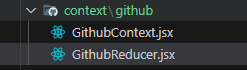
const githubReducer = (state, action) => {
  switch (action.type) {
    case "GET_USERS":
      return {
        ...state,
        users: action.payload,
        loading: false,
      };
    default:
      return state;
  }
};

export default githubReducer;
GithubContext.jsx의 useState대신에 reducer를 사용할거임
리듀서는 한꺼번에 여러개의 state를 처리
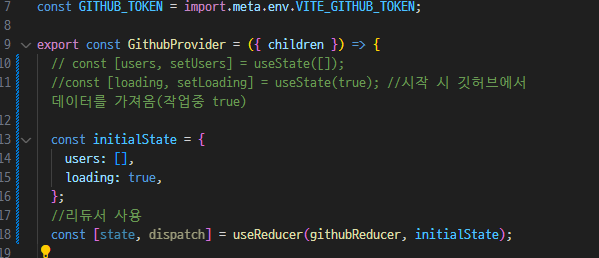
기존 state는 주석처리하고
아래에 useReducer을 사용한다.
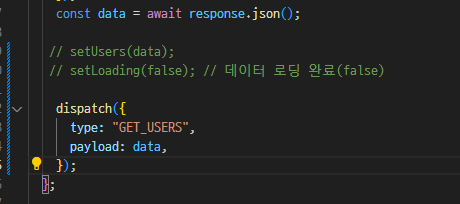
setUsers와 setLoading도 주석처리하고
dispatch로 변경한다.

state에 모든 데이터가 있으므로
state.users, state.loading으로 가져온다.
GithubReducer.jsx
로직을 추가한다.
const githubReducer = (state, action) => {
  switch (action.type) {
    case "GET_USERS":
      return {
        ...state,
        users: action.payload,
        loading: false,
      };
    case "SET_LOADING":
      return {
        ...state,
        loading: true,
      };
    default:
      return state;
  }
};

export default githubReducer;
GithubContext.jsx
import { createContext, useReducer } from "react";
import githubReducer from "./GithubReducer";

const GithubContext = createContext();

const GITHUB_URL = import.meta.env.VITE_GITHUB_URL;
const GITHUB_TOKEN = import.meta.env.VITE_GITHUB_TOKEN;

export const GithubProvider = ({ children }) => {
  // const [users, setUsers] = useState([]);
  //const [loading, setLoading] = useState(true); //시작 시 깃허브에서 데이터를 가져옴(작업중 true)

  const initialState = {
    users: [],
    loading: false, //초기값
  };
  //리듀서 사용
  const [state, dispatch] = useReducer(githubReducer, initialState);

  //로딩상태를 true로 업데이트하기 위한 dispatch
  const setLoading = () =>
    dispatch({
      type: "SET_LOADING",
    });

  const fetchUsers = async () => {
    setLoading();
    //onsole.log(`${import.meta.env.VITE_GITHUB_TOKEN}/users`);
    const response = await fetch(`${GITHUB_URL}/users`, {
      headers: {
        Authorization: `token ${GITHUB_TOKEN}`,
      },
    });
    const data = await response.json();

    // setUsers(data);
    // setLoading(false); // 데이터 로딩 완료(false)

    dispatch({
      type: "GET_USERS",
      payload: data,
      loading: false,
    });
  };

  return (
    <GithubContext.Provider
      value={{
        users: state.users,
        loading: state.loading,
        fetchUsers,
      }}
    >
      {children}
    </GithubContext.Provider>
  );
};

export default GithubContext;

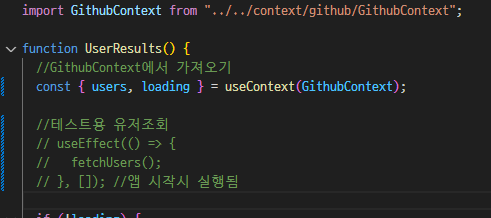
이제 테스트는 다해서
주석처리한다.


import React from "react";

const UserSearch = () => {
  return (
    <div
      className="grid grid-cols-1 xl:grid-cols-2
          lg:grid-cols-2 md:grid-cols-2 mb-8 gap-8"
    >
      <div>
        <form>
          <div className="form-control">
            <div className="relative">
              <input
                type="text"
                className="w-full pr-40 bg-gray-200 input input-lg text-black"
                placeholder="Search"
              />
              <button
                type="submit"
                className="absolute top-0 right-0 rounded-l-none w-36 btn btn-lg"
              >
                Go
              </button>
            </div>
          </div>
        </form>
      </div>
      <div>
        <button className="btn btn-ghost btn-lg">Clear</button>
      </div>
    </div>
  );
};

export default UserSearch;
UserSearch.jsx 만들어서 Home에서 적용한다.


이제 UserSearch.jsx에 스테이트를 추가한다.
import React, { useContext, useState } from "react";
import GithubContext from "../../context/github/GithubContext";

const UserSearch = () => {
  const [text, setText] = useState(""); //검색어
  const { users } = useContext(GithubContext);

  //검색어 저장
  const handleChange = (e) => {
    setText(e.target.value);
  };

  //submit 시
  const handleSubmit = (e) => {
    e.preventDefault();

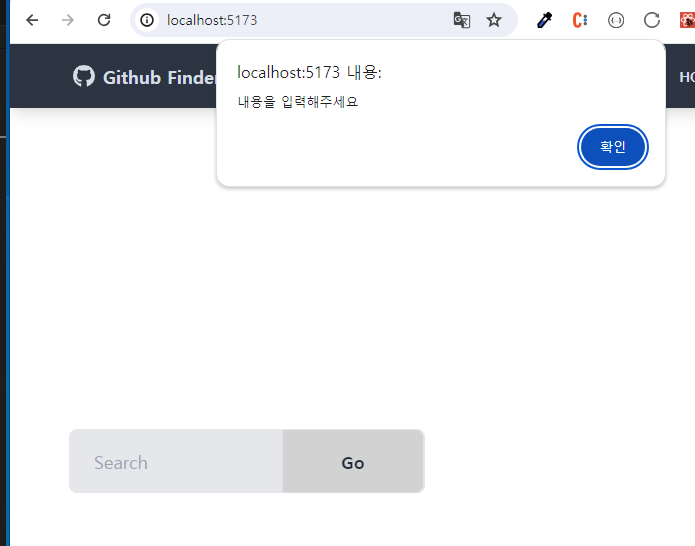
    if (text === "") {
      alert("내용을 입력해주세요");
    } else {
      //유저찾기
      setText("");
    }
  };
  return (
    <div
      className="grid grid-cols-1 xl:grid-cols-2
          lg:grid-cols-2 md:grid-cols-2 mb-8 gap-8"
    >
      <div>
        <form onSubmit={handleSubmit}>
          <div className="form-control">
            <div className="relative">
              <input
                onChange={handleChange}
                value={text}
                type="text"
                className="w-full pr-40 bg-gray-200 input input-lg text-black"
                placeholder="Search"
              />
              <button
                type="submit"
                className="absolute top-0 right-0 rounded-l-none w-36 btn btn-lg"
              >
                Go
              </button>
            </div>
          </div>
        </form>
      </div>
      <div>
        {users.length > 0 && (
          <button className="btn btn-ghost btn-lg">Clear</button>
        )}
      </div>
    </div>
  );
};

export default UserSearch;
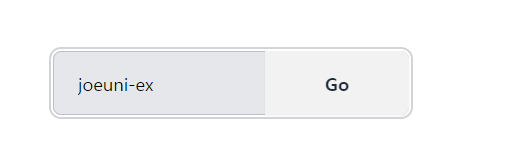
이제 특정 단어로 유저를 찾도록
context파일의 주석처리한 fetchUsers를 수정한다.

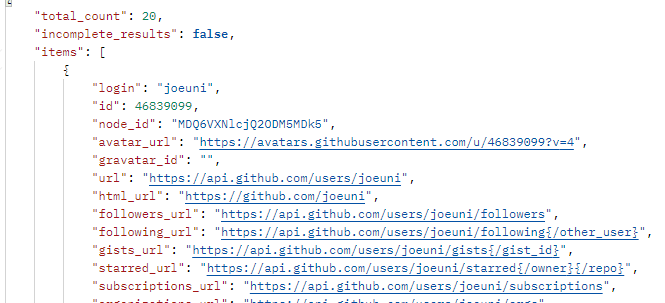
의 쿼리 스트링으로 만들어야함
그리고
우리가 원하는 데이터는 데이터 안에 items이다.
그래서 가져올 때 items만 가져오게 함
import { createContext, useReducer } from "react";
import githubReducer from "./GithubReducer";

const GithubContext = createContext();

const GITHUB_URL = import.meta.env.VITE_GITHUB_URL;
const GITHUB_TOKEN = import.meta.env.VITE_GITHUB_TOKEN;

export const GithubProvider = ({ children }) => {
  // const [users, setUsers] = useState([]);
  //const [loading, setLoading] = useState(true); //시작 시 깃허브에서 데이터를 가져옴(작업중 true)

  const initialState = {
    users: [],
    loading: false, //초기값
  };
  //리듀서 사용
  const [state, dispatch] = useReducer(githubReducer, initialState);

  //로딩상태를 true로 업데이트하기 위한 dispatch
  const setLoading = () =>
    dispatch({
      type: "SET_LOADING",
    });

  //특정 단어로 유저 찾기
  const searchUsers = async (text) => {
    setLoading(); //로딩상태 true

    //url 주소의 끝에 쿼리스트링을 만든다.(q=text)
    const pararms = new URLSearchParams({
      q: text,
    });

    //onsole.log(`${import.meta.env.VITE_GITHUB_TOKEN}/users`);
    const response = await fetch(`${GITHUB_URL}/search/users?${pararms}`, {
      headers: {
        Authorization: `token ${GITHUB_TOKEN}`,
      },
    });
    const { items } = await response.json();


    // setUsers(data);
    // setLoading(false); // 데이터 로딩 완료(false)

    dispatch({
      type: "GET_USERS",
      payload: items,
      loading: false,
    });
  };

  return (
    <GithubContext.Provider
      value={{
        users: state.users,
        loading: state.loading,
        searchUsers,
      }}
    >
      {children}
    </GithubContext.Provider>
  );
};

export default GithubContext;

Provider에 searchUsers 넣는다.
UserSearch.jsx
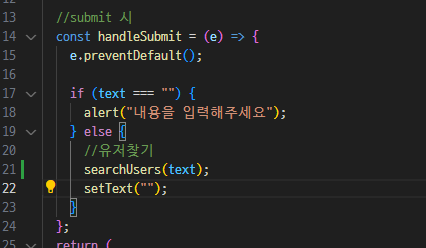
컨텍스트에서 searchUsers가져옴

유저를 찾을 때 text를 넣음
userResults.jsx에서
users가 있을 경우 users map 반복문 실행하게 코드 수정한다.

내 깃허브 아이디를 검색하니 아래와 같이 출력이 잘 된다.
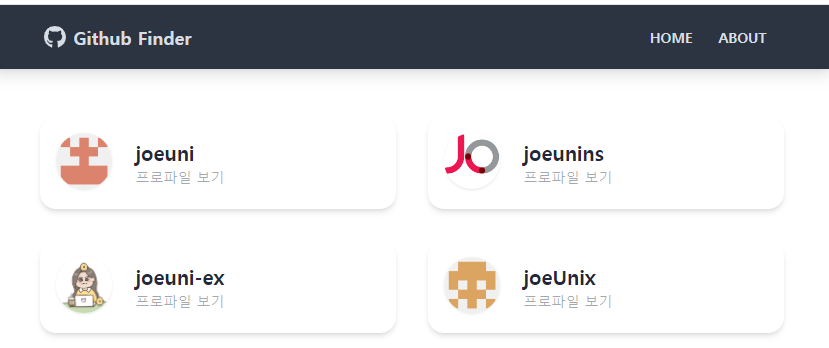

그리고 클리어 버튼도 출력이 된다.
하지만 작동이 안됨
아직 클리어 기능은 추가하지 않아서 그럼
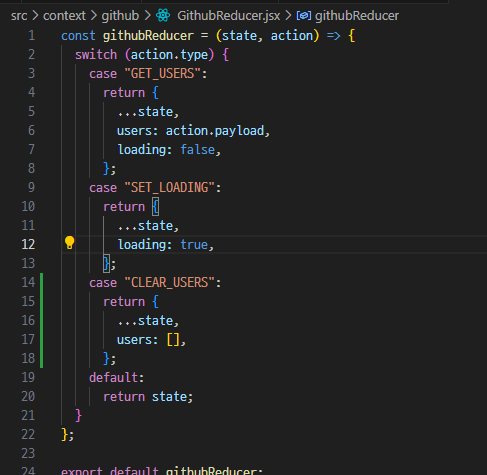


UsersSearch.jsx
컨텍스트에서 clearUsers가져와서
clear버튼 클릭 시 사용하도록 함



클릭버튼 누르면 사라지는지 확인하기
https://blog.naver.com/drv983/223122126692
React Hooks: useReducer 리듀서
useReducer 이해하기 상태를 업데이트 할 때에는 useState 를 사용해서 새로운 상태를 설정해주었는데요,...
blog.naver.com
'FRONTEND > React' 카테고리의 다른 글
| [깃허브 앱] 프로파일 보기 클릭 시 유저 상세보기로 넘어가기 (1) | 2023.12.01 |
|---|---|
| [깃허브 앱] Alert 컨텍스트 (1) | 2023.12.01 |
| [깃허브 앱] 깃허브 API 로 유저 검색 (0) | 2023.11.30 |
| [깃허브 앱] 새 프로젝트 시작, 테일윈드 설치 및 각 컴포넌트 생성 (0) | 2023.11.30 |
| 프로젝트 관리 (0) | 2023.11.29 |