https://supabase.com/
Supabase | The Open Source Firebase Alternative
Build production-grade applications with a Postgres database, Authentication, instant APIs, Realtime, Functions, Storage and Vector embeddings. Start for free.
supabase.com

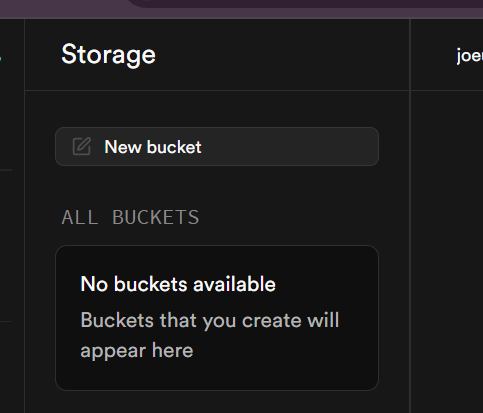
New bucket 클릭
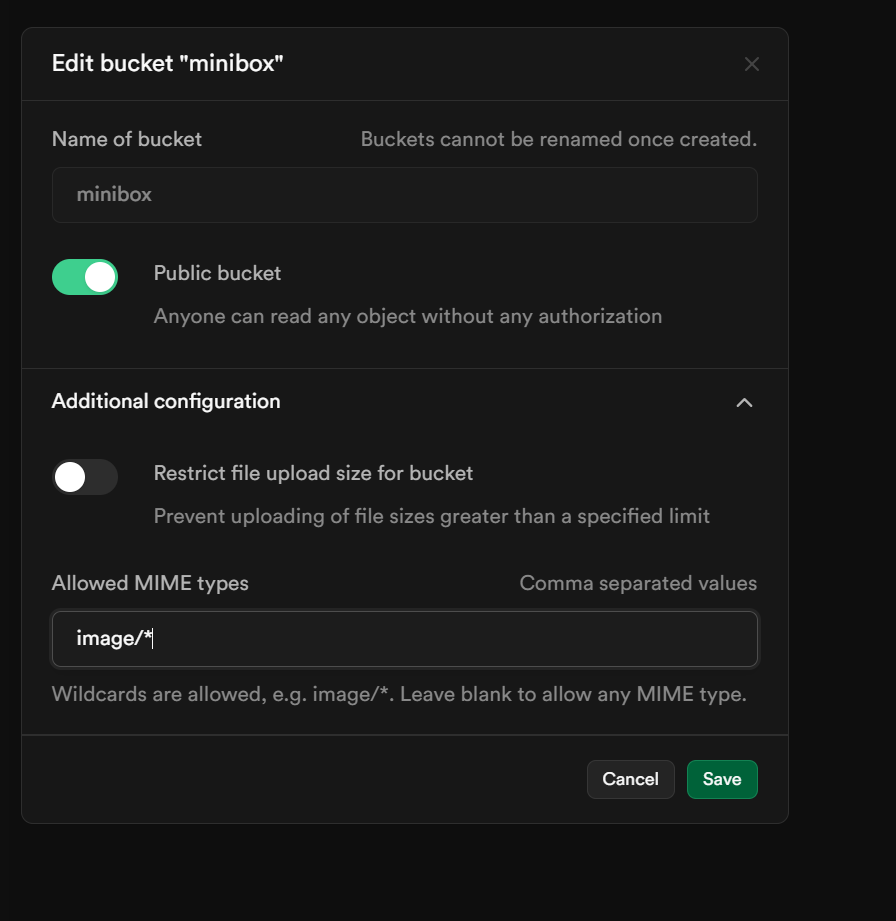
polices -> new policy

For full customization 클릭(비교적 간편하게 폴리쉬 생성가능)

누구나 사용가능하게 anon 으로 설정했음

이제 업로드 코드를 구현하면됨
.env 파일에 storage id 로 환경변수 설정한다.
# storage
NEXT_PUBLIC_STORAGE_BUCKET=minibox
export async function uploadFile(formData: FormData) {
const supabase = await createServerSupabaseClient();
const files = Array.from(formData.entries()).map(
([name, file]) => file as File
);
// upsert -> insert + update
// 파일명이 존재하면 update, 없으면 insert
const results = await Promise.all(
files.map((file) =>
supabase.storage
.from(process.env.NEXT_PUBLIC_STORAGE_BUCKET)
.upload(file.name, file, { upsert: true })
)
);
return results;
}
export async function searchFiles(search: string = "") {
const supabase = await createServerSupabaseClient();
const { data, error } = await supabase.storage
.from(process.env.NEXT_PUBLIC_STORAGE_BUCKET)
.list(null, {
search,
});
handleError(error);
return data;
}
export async function deleteFile(fileName: string) {
const supabase = await createServerSupabaseClient();
const { data, error } = await supabase.storage
.from(process.env.NEXT_PUBLIC_STORAGE_BUCKET)
.remove([fileName]);
handleError(error);
return data;
}
util -> supabase -> storage.ts를 생성해서
스토리지에 업로드 된 이미지를 쉽게 가져오도록 함수를 만들어준다.
export function getImageUrl(path) {
return `${process.env.NEXT_PUBLIC_SUPABASE_URL}/storage/v1/object/public/${process.env.NEXT_PUBLIC_STORAGE_BUCKET}/${path}`;
}
이미지 리스트 컴포넌트에서는
searchInput( 검색어 ) 를 받아서 useQuery를 사용해서
images에서 검색어가 포함된 이미지들만 필터링 해서 가져온다.
로딩중이라면 스피너로 로딩중을 표시하고
데이터가 있다면 그 데이터를 map으로 돌려서 나열한다.
"use client";
import { useQuery } from "@tanstack/react-query";
import DropboxImage from "./dropbox-image";
import { searchFiles } from "actions/storageActions";
import { Spinner } from "@material-tailwind/react";
export default function DropboxImageList({ searchInput }) {
const searchImageQuery = useQuery({
queryKey: ["images", searchInput],
queryFn: () => searchFiles(searchInput),
});
return (
<section className="grid grid-cols-2 md:grid-cols-3 lg:grid-cols-4 ">
{searchImageQuery.isLoading && <Spinner />}
{searchImageQuery.data &&
searchImageQuery.data.map((image) => (
<DropboxImage key={image.id} image={image} />
))}
</section>
);
}
이미지 한개 컴포넌트는
삭제 기능이 있으므로 useMutation을 사용해서 deleteFile 함수를 실행하도록 한다.
만약 성공하면 queryClient의 invalidateQueries를 사용하여 images들을 다시 가져온다. (새로고침)
export default function DropboxImage({ image }) {
const deleteFileMutation = useMutation({
mutationFn: deleteFile,
onSuccess: () =>
queryClient.invalidateQueries({
queryKey: ["images"],
}),
});
return (
<div className="relative w-full flex flex-col gap-2 p-4 border border-gray-100 rounded-2xl shadow-md">
{/* Image */}
<div>
<img
src={getImageUrl(image.name)}
className="w-ful aspect-square rounded-2xl"
/>
</div>
{/* File name */}
<div>{image.name}</div>
<div className="absolute top-2 right-4 ">
<IconButton
onClick={() => {
deleteFileMutation.mutate(image.name);
}}
color="red"
>
{deleteFileMutation.isPending ? (
<Spinner />
) : (
<i className="fas fa-trash"></i>
)}
</IconButton>
</div>
</div>
);
}
그리고 Drag and Drop 라이브러리를 설치한다.
https://www.npmjs.com/package/react-dropzone
react-dropzone
Simple HTML5 drag-drop zone with React.js. Latest version: 14.2.3, last published: 2 years ago. Start using react-dropzone in your project by running `npm i react-dropzone`. There are 3867 other projects in the npm registry using react-dropzone.
www.npmjs.com
npm i --save react-dropzone
해당 라이브러리는
드래그 앤 드랍 기능을 간편하게 사용가능하게끔
만들어진 라이브러리다 .
Usage에 맞게 사용하면
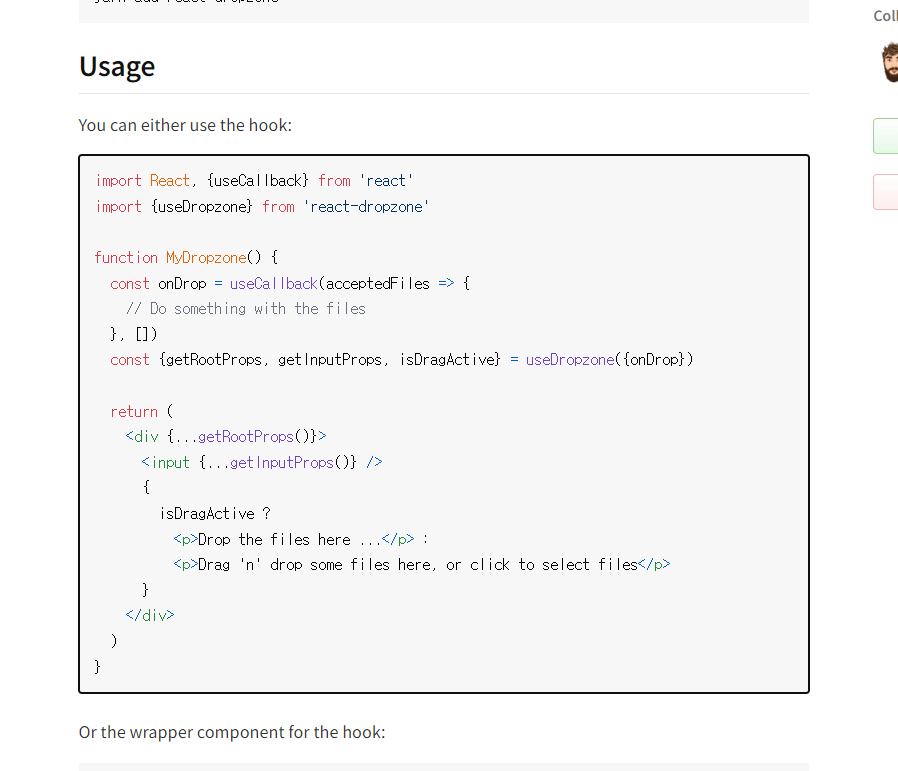
const uploadImageMutation = useMutation({
mutationFn: uploadFile,
onSuccess: () => {
queryClient.invalidateQueries({
queryKey: ["images"],
});
},
});
//drop zone 코드
const onDrop = useCallback(async (acceptedFiles) => {
if (acceptedFiles.length > 0) {
const formData = new FormData();
acceptedFiles.forEach((file) => {
formData.append(file.name, file);
});
const result = await uploadImageMutation.mutate(formData);
}
}, []);
const { getRootProps, getInputProps, isDragActive } = useDropzone({
onDrop,
multiple: true,
});
return (
<div
{...getRootProps()}
className="w-full border-dotted border-indigo-600 flex flex-col items-center justify-center border-4 py-20 cursor-pointer "
>
<input {...getInputProps()} />
{uploadImageMutation.isPending ? (
<Spinner />
) : isDragActive ? (
<p>파일을 놓아주세요.</p>
) : (
<p>파일을 여기에 끌어다 놓거나 클릭하여 업로드하세요.</p>
)}
</div>
);
muliple : true를 줘서 여러 장의 이미지도 업로드 가능하게함.
onDrop 함수에서
실제 이미지가 드래그 앤 드랍 됐을 때 실행될 코드들을 적어주면된다.
acceptedFiles의 길이가 0 보다 클 때( 즉 , 업로드 할 파일이 있다면)
forEach반복문을 돌려 formData에 appned(추가)해준다.
그리고 그것을 uploadImageMutation으로 뮤테이트 해준다.
그러면 storageActions 에서 파일들을 스토리지에 업로드한다.
export async function uploadFile(formData: FormData) {
const supabase = await createServerSupabaseClient();
const files = Array.from(formData.entries()).map(
([name, file]) => file as File
);
// upsert -> insert + update
// 파일명이 존재하면 update, 없으면 insert
const results = await Promise.all(
files.map((file) =>
supabase.storage
.from(process.env.NEXT_PUBLIC_STORAGE_BUCKET)
.upload(file.name, file, { upsert: true })
)
);
return results;