728x90
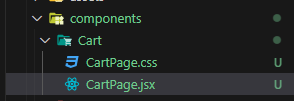
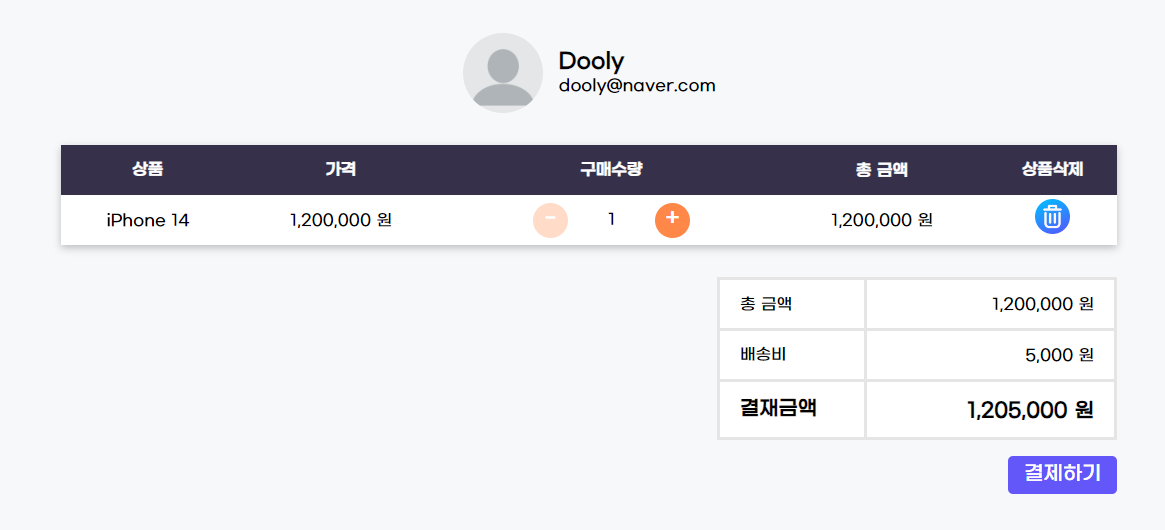
Cart 폴더 생성 후 CartPage.jsx 와 css 파일을 생성한다.
import "./CartPage.css";
import remove from "../../assets/remove.png";
import user from "../../assets/user.webp";
import Table from "../Common/Table";
import QuantityInput from "../SingleProduct/QuantityInput";
const CartPage = () => {
return (
<section className="align_center cart_page">
<div className="align_center user_info">
<img src={user} alt="user profile" />
<div>
<p className="user_name">Dooly</p>
<p className="user_email">dooly@naver.com</p>
</div>
</div>
<Table headings={["상품", "가격", "구매수량", "총 금액", "상품삭제"]}>
<tbody>
<tr>
<td>iPhone 14</td>
<td>1,200,000 원</td>
<td className="align_center table_quantity_input">
<QuantityInput />
</td>
<td>1,200,000 원</td>
<td>
<img
src={remove}
alt="remove icon"
className="cart_remove_icon"
/>
</td>
</tr>
</tbody>
</Table>
</section>
);
};
export default CartPage;
CartPage.css
.cart_page {
flex-direction: column;
justify-content: center;
width: 60%;
margin: 0 auto;
padding: 32px 48px;
}
.user_info {
gap: 16px;
margin-bottom: 32px;
}
.user_info img {
width: 80px;
height: 80px;
object-fit: cover;
border-radius: 100%;
}
.user_name {
font-size: 21px;
font-weight: 600;
}
.cart_remove_icon {
width: 35px;
height: 35px;
cursor: pointer;
}
장바구니에는 여러 상품이 들어가기 때문에
여기 Table 의 내용을 컴포넌트로 만들어서 재사용 가능하게 만들어준다.
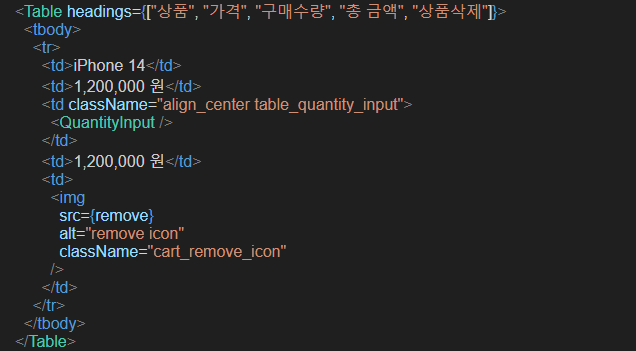
App.jsx에 CartPage 컴포넌트 적용
<main>
{/* <HomePage /> */}
{/* <ProductsPage /> */}
{/* <SingleProductPage /> */}
<CartPage />
</main>
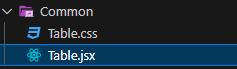
Table.jsx
import "./Table.css";
const Table = ({ headings, children }) => {
return (
<table className="common_table">
<thead>
<tr>
{headings.map((item, index) => (
<th key={index}>{item}</th>
))}
</tr>
</thead>
{children}
</table>
);
};
export default Table;
Table.css
.common_table {
width: 100%;
margin-bottom: 16px;
border-collapse: collapse;
background-color: #fff;
box-shadow: 0px 3px 8px rgba(0, 0, 0, 0.24);
}
.common_table thead th {
height: 50px;
background-color: #36304a;
color: #fff;
text-transform: uppercase;
}
.common_table tbody tr {
height: 50px;
text-align: center;
}
.common_table tbody tr:nth-child(even) {
background-color: #f5f5f5;
}
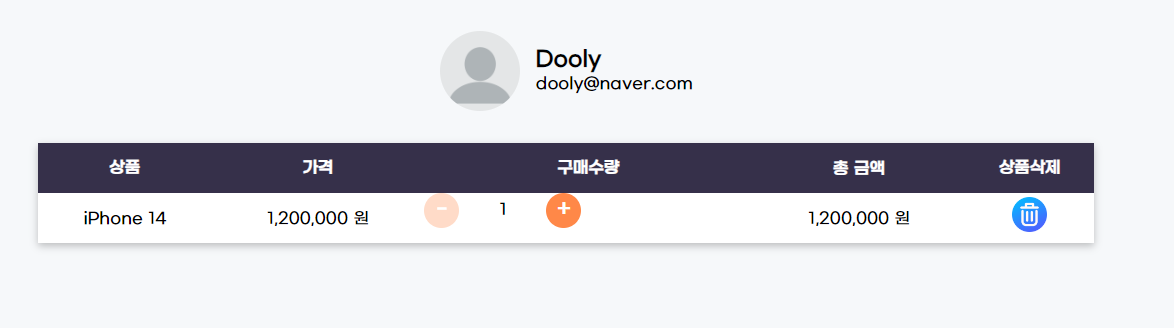
CartPage.jsx
import "./CartPage.css";
import remove from "../../assets/remove.png";
import user from "../../assets/user.webp";
import Table from "../Common/Table";
import QuantityInput from "../SingleProduct/QuantityInput";
const CartPage = () => {
return (
<section className="align_center cart_page">
<div className="align_center user_info">
<img src={user} alt="user profile" />
<div>
<p className="user_name">Dooly</p>
<p className="user_email">dooly@naver.com</p>
</div>
</div>
<Table headings={["상품", "가격", "구매수량", "총 금액", "상품삭제"]}>
<tbody>
<tr>
<td>iPhone 14</td>
<td>1,200,000 원</td>
<td className="align_center table_quantity_input">
<QuantityInput />
</td>
<td>1,200,000 원</td>
<td>
<img
src={remove}
alt="remove icon"
className="cart_remove_icon"
/>
</td>
</tr>
</tbody>
</Table>
<table className="cart_bill">
<tbody>
<tr>
<td>총 금액</td>
<td>1,200,000 원</td>
</tr>
<tr>
<td>배송비</td>
<td>5,000 원</td>
</tr>
<tr className="cart_bill_final">
<td>결재금액</td>
<td>1,205,000 원</td>
</tr>
</tbody>
</table>
<button className="search_button checkout_button">결제하기</button>
</section>
);
};
export default CartPage;
CartPage.css
.cart_bill {
align-self: flex-end;
width: 400px;
border-collapse: collapse;
font-size: 16px;
margin-top: 16px;
background-color: #fff;
}
.cart_bill td {
padding: 12px 20px;
border: 3px solid #e5e5e5;
}
.cart_bill td:last-child {
text-align: end;
width: 250px;
}
.cart_bill_final {
font-size: 20px;
font-weight: 700;
}
.checkout_button {
align-self: flex-end;
height: 38px !important;
margin: 16px 0;
padding: 0 16px !important;
}
.table_quantity_input {
height: 50px;
justify-content: center;
}
'FRONTEND > React' 카테고리의 다른 글
| CORS 에러 해결 하기- 알라딘API/ 보완 사항 (0) | 2023.12.19 |
|---|---|
| [myCart] 주문 내역 페이지 (0) | 2023.12.19 |
| [myCart] 상품 상세보기( SingleProductPage ) 생성 (0) | 2023.12.19 |
| [myCart] 상품페이지 생성 (사이드 바/ 상품 목록) (2) | 2023.12.19 |
| [myCart] FeaturedProducts 컴포넌트 및 ProductCard 컴포넌트 재사용 (0) | 2023.12.19 |